Pipedrive Spring 2026: Automation Revolution and 20+ New Features to Save You Hours Weekly
Pipedrive is raising the bar once again. The Spring 2026 updates aren't just cosmetic tweaks—they are the features users have been calling for for years. Whether you're a field sales rep or a CRM administrator, these new features will simplify the way you close deals.
Contents:
🤖 1. A New Era of Automation: Your New Digital Assistant
The automation section has undergone the most significant upgrade in its history. Pipedrive can now think and act on your behalf with much greater sophistication. Automations are no longer just about sending emails; they are now full-scale workflows:
- Email Threads: Automatic follow-ups are now sent as replies within an existing conversation rather than as new messages. Previously, Pipedrive sent automated emails as entirely new messages with new subject lines, which could feel a bit like spam. Now, the email is sent as a direct reply (Re:) to the original conversation.
- Example: You send a proposal to a client. They don’t respond. Three days later, the automation sends a reminder. In the client's inbox, it appears as a "continuation" of the original email. it looks like you personally wrote: “Hi, just following up...” instead of them receiving a cold, new email.
- IF/ELSE Conditions: our automations can now branch into different outcomes based on set conditions.
- Example: I can set a condition where if a deal is over $5,000, the task is forwarded to the manager; if it’s under $5,000, only a welcome email is sent.
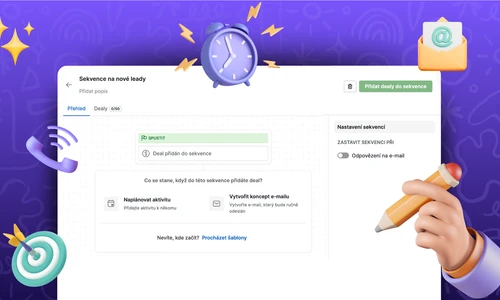
- Automated Sequences: You can automatically add deals and leads to sequences based on triggers. We previously covered how to work with sequences correctly in our article on Pulse Sequences.
- Date-Based Triggers: Start processes based on date fields (e.g., 3 days before a contract expires).
- Automated Webhooks: Connect your automations with any external tool without the need for complex coding.
- Example: The moment you move a deal to the "Signed" stage, Pipedrive automatically sends an instruction via webhook to your invoicing system to immediately create a draft invoice. All this without programming or complex connections through other paid third-party tools.
- Sharing Automations and Ownership Transfer: Automations are no longer "tied" to a single person. You can share them with your team or bulk-transfer them to a new colleague.
If you’re unsure how to handle automations, we recommend our specialized Pipedrive Automation Training.
📱 2. UI, UX, and Mobile Apps
- Pipeline Visibility & Full Screen: Eliminate distractions by switching your board to full-screen mode for maximum focus. Ideal for morning team meetings.
- Pinned Filters: Do you have favorite filters that you use dozens of times a day? Now you can pin them directly to the top bar for instant access.
- Contact Scanner: The mobile app now instantly reads business cards and creates a contact for you.
💬 3. Communication: Team Inbox and Smarter Emails
- Team Inbox: A shared mailbox for the entire team. No more asking, "Who replied to this client?". Everyone sees everything (based on permissions). You can now share team emails like info@... or sales@... with selected colleagues, who will have them synced directly in Pipedrive.
- No-Reply Filter: Pipedrive automatically filters out delivery confirmations and "out of office" replies so they don’t clutter your deal history.
- Email Participants: Did you receive an email from a new person who belongs to an ongoing deal? You can add them as a participant with a single click directly from the email detail.
- Participant Management in Summary: PAdding additional people to a deal can now be done instantly within the summary field next to the contact person.
📊 4. Reporting Under the Microscope
- Revenue Forecast: Detailed income forecasting now distinguishes between one-off sales and subscriptions.
- Email Tracking in Reports: You can finally see open and click-through metrics directly within your reports.
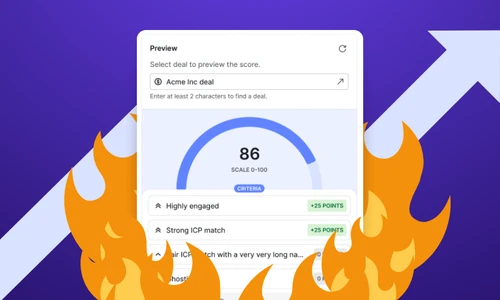
- Scoring: Deal scoring is an automatic point-based evaluation of individual business cases based on conditions and parameters you define. You’ll immediately see who is "hot" and who is just "lukewarm." Check out our step-by-step guide to Pulse Score.
- Example: If a client doesn't reply to an email for more than X days, 5 points are deducted. Conversely, if they fill out a questionnaire, 10 points are added.
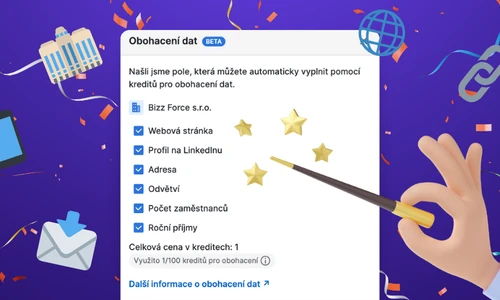
- Data Enrichment: Automatically populate person and company data directly from the web. Learn how to set this up in our Data Enrichment guide.
- Lead-to-Deal History: A complete audit trail. See exactly the moment a lead became a deal and what happened leading up to it.
- Email as an Activity: Once an email is sent, it is automatically counted as a completed activity.
⚒️ 5. Productivity and Deal Management
Working in a CRM must be fast. These updates will save you hundreds of clicks a day:
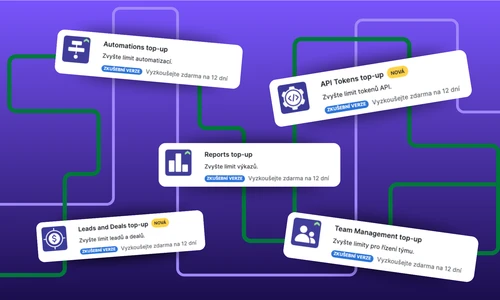
- Bulk Activity Scheduling: Plan activities for dozens of deals at once.
- Bulk Selection (Shift): Selecting items in a list by holding Shift is finally a reality!
- Activity Transfer on Owner Change: When handing over a deal to a colleague, you can transfer all unfinished tasks with one click.
- Label Copying: Automatic application of labels from the original item to a new conversion. When converting a lead to a deal, your color-coded labels are automatically transferred.
- Filtering Directly in Columns: Much like in Excel, you can now filter data directly within the column headers in the List View.
Conclusion: It’s Time to Upgrade Your Processes
You Might Be Interested In
How to Choose the Best Project Management Tool: A Guide for Businesses
ClickUp vs. Freelo: Comparing Project Management Tools
Project Management Methodologies: Overview, Key Differences, and How to Choose the Right One
How to Choose the Best Project Management Tool: A Guide for Businesses
Získáním leadů vše teprve začíná
Interested in a custom solution?
We’ll get in touch with you, review your processes, and show you how successful companies do things. If you're interested, we'll guide you through the next steps and help you with the entire process of your digital transformation.